
Percentage-Based Rollouts
This guide describes how you can implement a percentage-based patch rollout system using predefined tracks.
The sample code for this guide can by found at https://github.com/shorebirdtech/samples/tree/main/progressive_rollout_demo
This percentage-based rollout system has three parts:
- Using Shorebird’s “tracks” feature to publish patches to different sets of users.
- Using a cloud key-value (KV) store to manage rollout percentages for each release version.
- Randomly assigning every device a “group number” between 1 and 100. If a device’s group number is less than or equal to the current rollout percentage for the current app version, that user will get the partially rolled-out (“beta”) patch. Otherwise, the user will receive the stable patch.
Add Shorebird to your app
Section titled “Add Shorebird to your app”If you haven’t already, run Shorebird init in your Flutter project to add Shorebird to your app.
Add the shorebird_code_push package
Section titled “Add the shorebird_code_push package”This feature also requires v2.0.0 of
package:shorebird_code_push.
You can add this to your project using flutter pub add shorebird_code_push or
by adding it to your pubspec.yaml manually.
You will need to update your shorebird.yaml to tell Shorebird you want to
manage your own updates:
Add logic to bucket your users
Section titled “Add logic to bucket your users”Do this by assigning each user a number between 1 and 100 and saving that value
to a local cache using
package:shared_preferences:
Add logic to determine rollout percentage
Section titled “Add logic to determine rollout percentage”This guide uses Firebase’s Cloud Firestore to create a simple key-value pairing of release versions to rollout percentages, although any method of retrieving a rollout percentage from the cloud will work.
Use these values to choose a track
Section titled “Use these values to choose a track”Now, tie this all together by using the group number and the rollout percentage to decide whether a user should get patches in the beta track or in the stable track.
Seeing it in action
Section titled “Seeing it in action”Start by creating a release for Android:
This will create a release build of your app (an aab file) that is patchable with Shorebird. You will distribute this build to your users the same way you distribute your apps today.
Now, launch the example using shorebird preview, which downloads the release
and runs it on a local device:
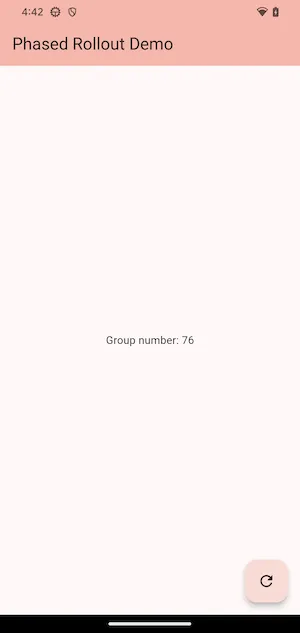
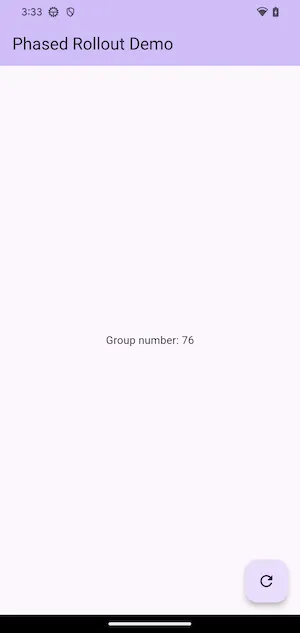
This screenshot shows that the device is in group 76. This means that it will request patches on the stable track until the rollout percentage is >= 76, at which point it will start requesting patches in the beta track.
Because a patch hasn’t been created on the beta track or a rollout percentage set yet, there isn’t much to see yet.
Change the background color from Colors.deepPurple to Colors.red and create
a patch on the beta track using the following command:
And update the rollout percentage in Firebase:
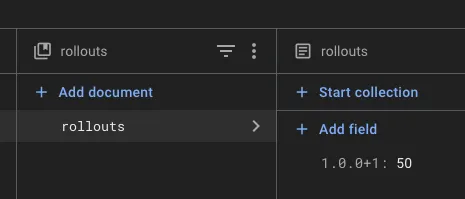
Press the update button, and the Shorebird preview output shows the following (formatted for readability):
Now, change the rollout percentage in Firebase to 76%:
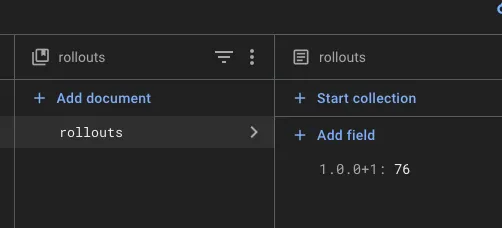
Press the update button again, and you’ll now see:
Note that the channel field in the patch check request has changed from stable to beta, and that the patch has been downloaded.